

Features
Everything it does, in one list.
Check it before you install. For every job a business website has: what the free plugin does, what Pro adds, and where it stops.
In one breath each
No need for other plugins.
The plugins you never install, update or pay for, in one movie. Then every feature below, in words.
 Play the video: PasteTheme features: forms, email, SEO basics, security, caches, WebP, visits, fonts and dark mode, no extra plugins
Transcript
No need for other plugins
PasteTheme’s free plugin does the job of seventeen WordPress plugins you never install, update or pay for.
Forms that send
Forms that send: paste any form and it sends, with a honeypot, a fill-time check and a flood guard, and a panel that edits its fields without pasting again.
Email you can check
Email you can check: a real sender at your domain, SMTP in the same card, a test button, and the last fifty attempts listed.
Search basics
Search basics: a title and description per page, hide from search, link previews that look right, and a sitemap that works.
Security and lockouts
Security and lockouts: hardened from minute one, five failed logins and fifteen minutes out, two-step login one click away.
Caches that clear themselves
Caches that clear themselves: one click for WordPress, OPcache, permalinks and sixteen caching plugins and hosts, and automatic after every update.
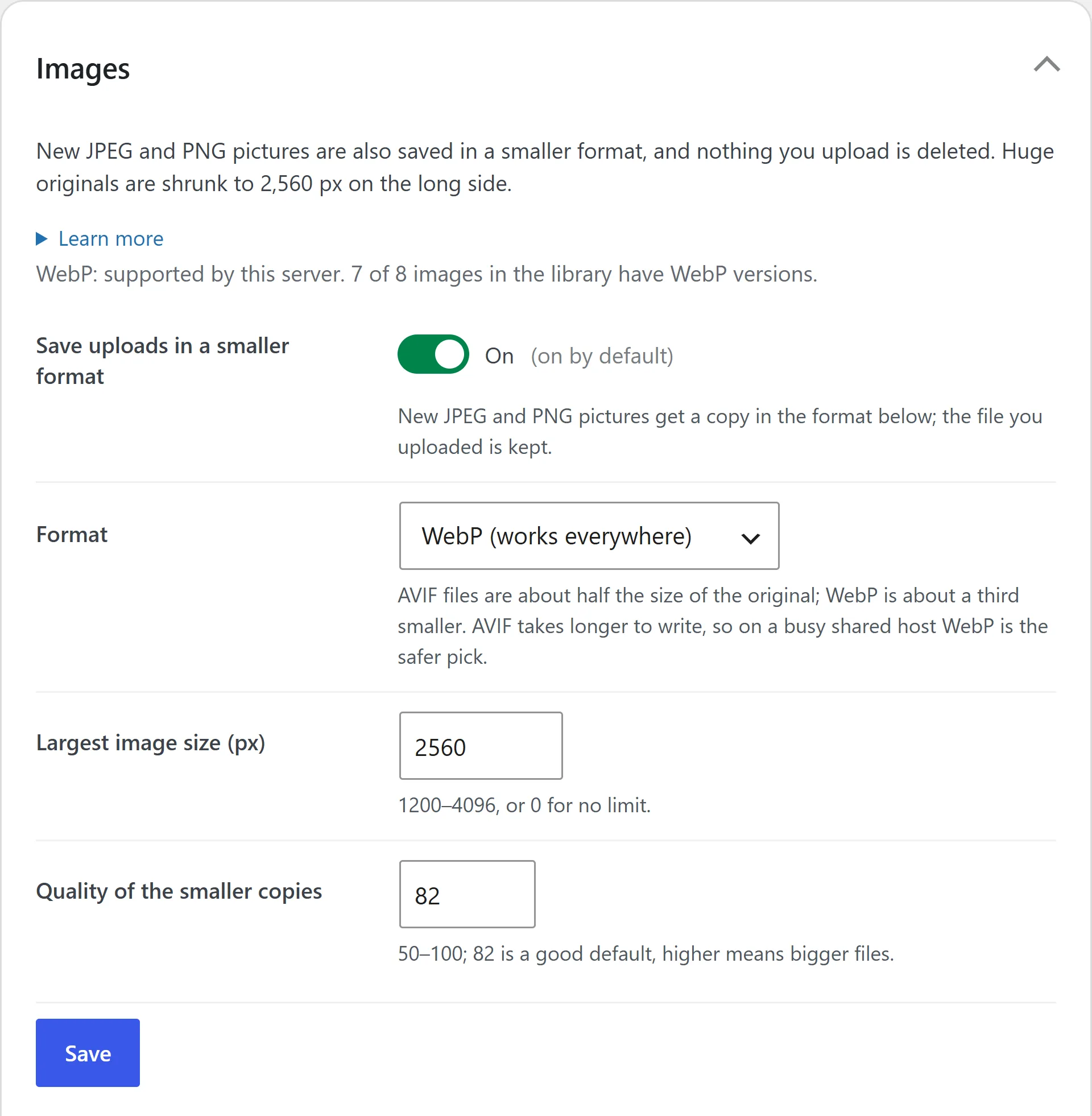
WebP and AVIF pictures
WebP and AVIF pictures on upload, at the quality you set, and safe SVG for your logo.
Visit counts, no cookies
Visit counts with no cookies and no IP addresses: today, seven days, thirty days, top pages, referrers.
Fonts from your own site. Dark mode
The Google font your AI named, downloaded once and served from your own site. And a dark mode that follows the visitor’s device.
And the rest
And the rest: a back-to-top button, a floating header, a coming-soon page, your logo on the login page, a client login, three ready-made sites and a fifteen-line Checkup.
Free means free
All of it is free, and none of it waits on a purchase. Pro adds the power tools, not the basics. pastetheme.com.
Built in, so you install less
The plugins you won’t need.
Most sites add a plugin for every job, each with its own updates, settings and upgrade offers. PasteTheme builds those jobs in. Free gives you what the top free themes give, plus our own: paste your AI’s sections, a website in one click, a contact form that sends, and your AI connected. Pro is the upgrade when you’re ready: many plugins in one.
Free The theme
How your site looks: the layouts, header, footer, fonts, and light and dark colors.
Free The free plugin
The engine. It makes WordPress a website, takes your pasted sections, sends your forms, sets up search, closes the usual doors and connects your AI over MCP.
Pro PasteTheme Pro
From $49 a year. The upgrade when you’re ready: 21 Pro plugins in one, listed below.
Free Built into the free plugin
- A contact form plugin. Emails you what people type in your form, with spam traps set.
- An email plugin. Sends your mail through a real mailbox.
- An SEO plugin, for the basics. Titles, descriptions, share pictures and a sitemap.
- A security plugin, for the lock-down. Closes weak spots and locks out password guessers.
- A file check. Switch it on and it looks every day for files that don’t belong in WordPress’s folders.
- An AI connector. Lets Claude, ChatGPT and other AI apps work on your site over MCP.
- A cache-clearing plugin. Makes sure visitors see your latest changes.
- An image plugin. Saves lighter copies of your photos.
- A visit counter. Who came, what they read, and where from.
- A fonts plugin. Serves Google fonts from your own site.
- An SVG plugin. Lets you upload a sharp SVG logo, cleaned first.
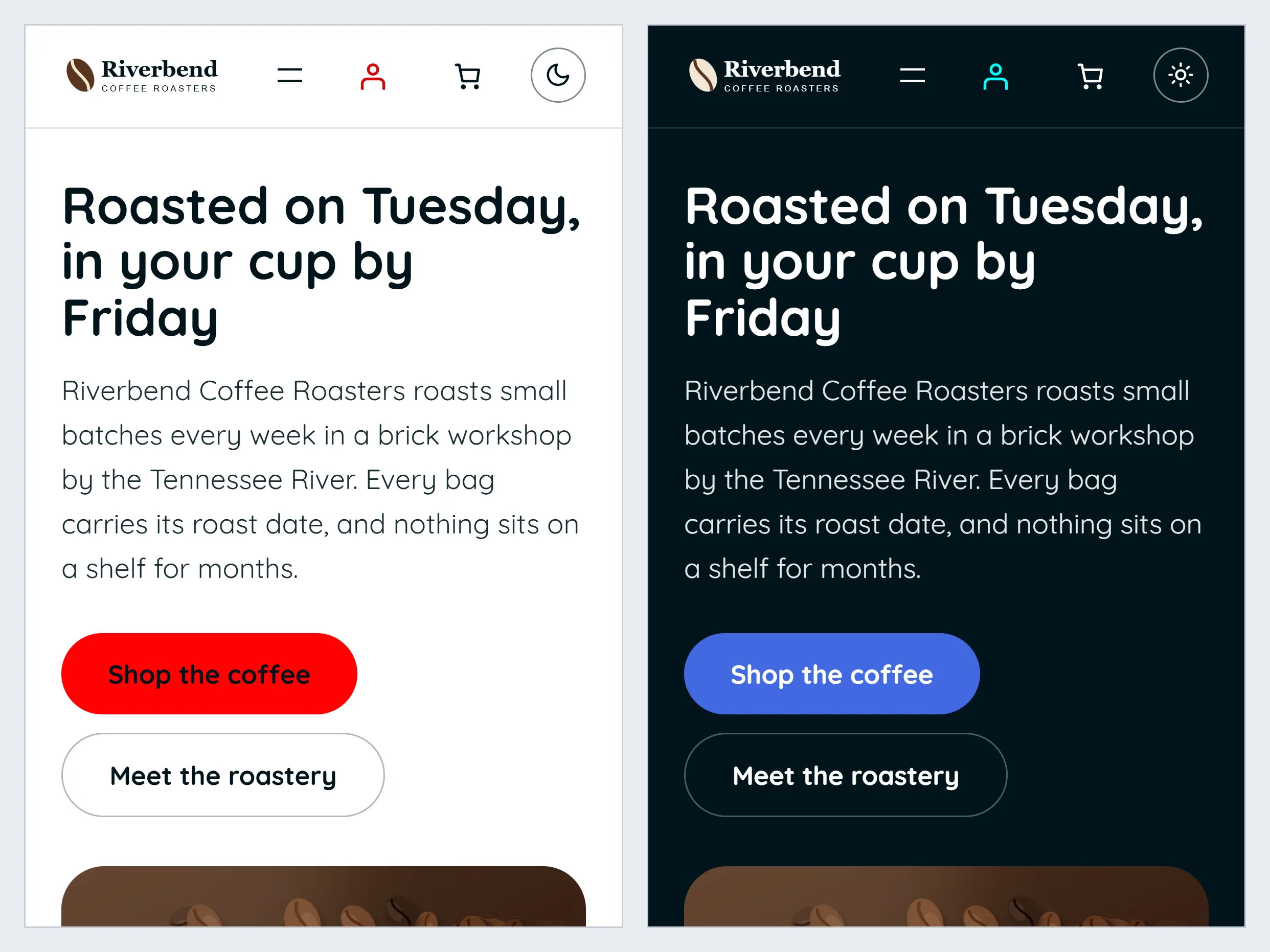
- A dark mode plugin. Dark colors when the visitor’s phone is set to dark.
- The small ones. Back to top, a header that stays in view, a coming-soon page, pictures that open full size, and your logo on the login screen.
- A client editor plugin. A login that changes words, not the layout.
- A starter site plugin. A whole ready-made site to start from.
- A site health plugin. Checks that tell you the one thing to fix.
Pro 21 Pro plugins in one
- Pro Contact Form Builder. Point-and-click forms, five ready-made forms, file uploads, questions that show only when needed, auto-replies, a thank-you page, and messages sent on to Zapier, Make or n8n.
- Form Entries Inbox. Every message kept on your site, exported to a spreadsheet.
- Spam Shield. Cloudflare’s spam check on your forms, no puzzles.
- Code Snippets Pro. Tracking tags, pixels and chat widgets on every page; CSS and JavaScript for one page.
- Section Code Editor. Every section’s HTML, CSS and JavaScript in the sidebar; your AI’s own design kept exactly.
- Redirect Manager. Old links sent to the new page, written for you when you rename one.
- SEO Pro. Labels for Google and AI assistants (business, breadcrumbs, product, questions, video) and a map for AI (llms.txt).
- Local Business SEO. Your address, phone and opening hours for maps.
- Instant Indexing. Tells Bing the moment a page changes.
- Popup Builder. A popup after a few seconds, part way down, or as someone leaves.
- Announcement Bar. A message bar and a row of links above the header.
- Slider & Animation Pack. The sliders, charts, 3D, motion and Lottie your AI writes, running; sections that fade in.
- Header & Footer Builder. A different header or footer on any page, or none.
- Mega Menu. A menu item that opens a full-width panel.
- Dark Mode Switch. A light and dark button for visitors.
- Bulk Image Optimizer. The pictures already on your site made lighter too.
- Shop Quick View. A quick look at a product without leaving the shop.
- Sticky Add to Cart. An add-to-cart bar that stays on screen.
- White Label. Your agency’s name on the dashboard.
- Site Template Exporter. This site saved as a ready-made site for the next one.
- Premium Section Pack. 21 more ready-made sections, and five more section edges or your own.
Still a separate job: WooCommerce if you sell; a page cache, a firewall, malware scanning and backups from your host; and PHP snippets, the code that runs on your server.
Pages
Pick the pages. PasteTheme sets them up.
WordPress starts as a blog. One click makes it a website.
Free
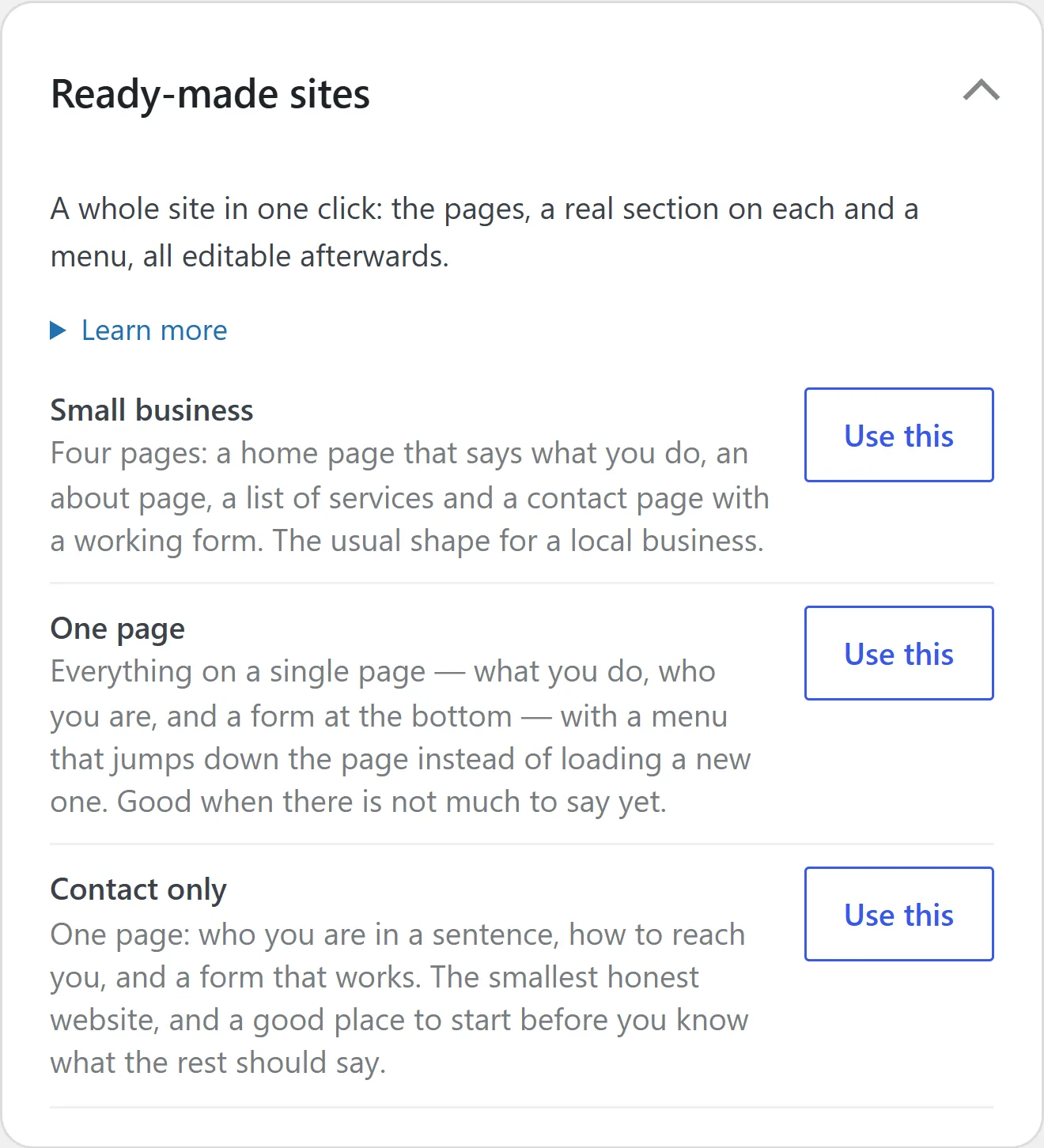
- Tick the pages you want on Setup and one click makes them: Home, About, Services and Contact to start, with starter sections, a menu and a contact form that sends.
- Or start from one of three ready-made sites.
- Add a page and it arrives with empty sections waiting, and joins the menu when you publish it.
- Ready-made sections: heroes, services with prices, reviews, questions, prices and a contact form.
- Paste a section your AI wrote with CtrlV. It keeps its words, pictures and layout, and takes its look from PasteTheme’s ready-made styles. Click any word or picture to change it.
- Take a page off the site without deleting it. Its menu link comes back with it.
- A drag-to-order menu, boxed or full-width sections, and sections hidden on phones.
Pro adds
- Paste a section exactly as your AI designed it, its own CSS included.
- 21 more ready-made sections.
- The sliders, counters and charts your AI writes, running. Free takes the script out and says so.
- A different header or footer on any page, and a big drop-down menu.
- A row of links above the header, an announcement bar and a popup.
- A full-width page with no footer, for an app.
Where it stops: menus go one level deep, and the starter words are yours to replace. Pasting again replaces the whole section. The old one waits in the page’s revisions.
Your look
Your logo, your colors, your fonts. In light and dark.
Your business, not a template. Set it once and every page follows.
Free
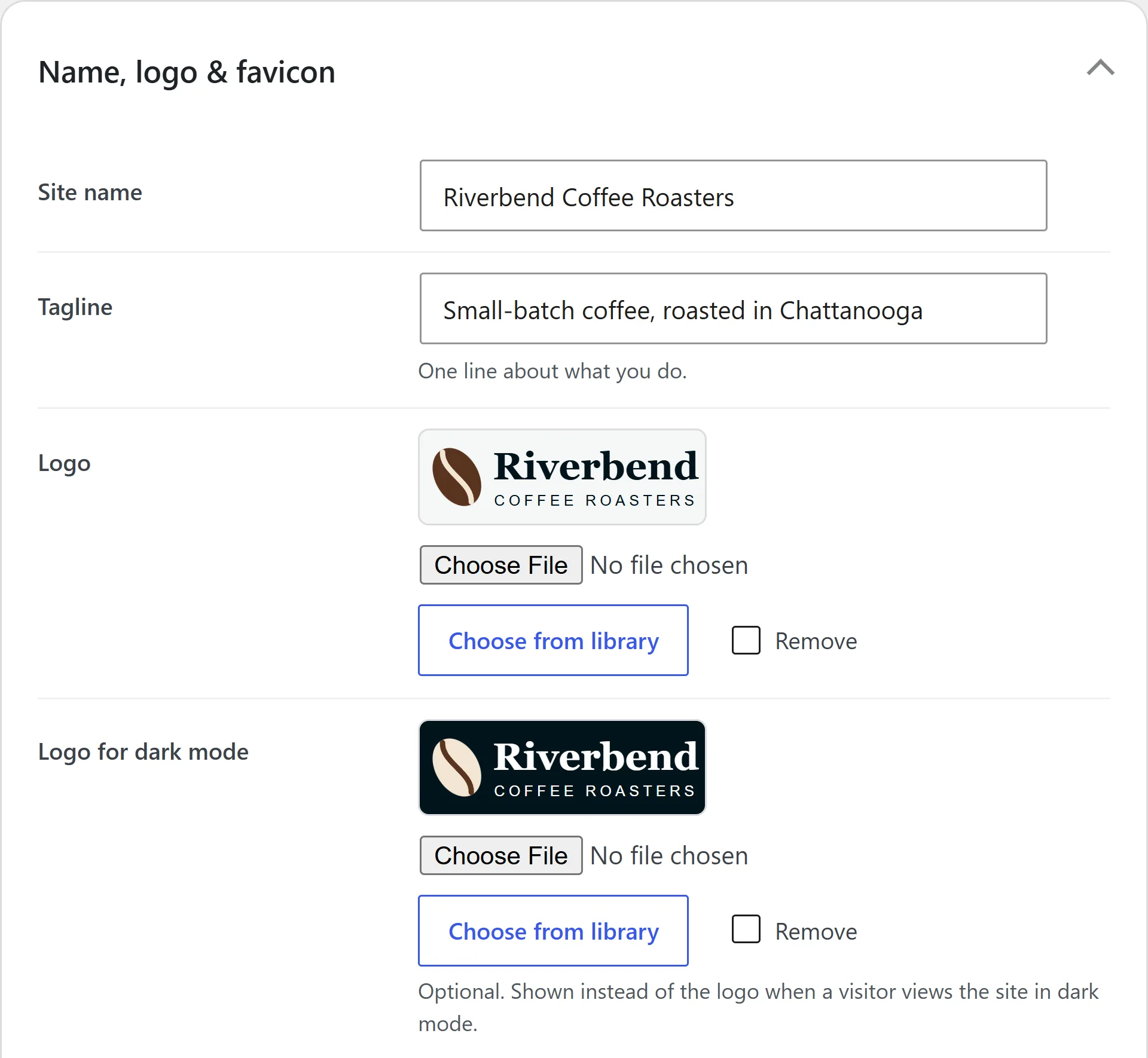
- Name, logo, site icon, colors and fonts on one screen.
- Light and dark, following the visitor’s phone, with your own dark colors if you like.
- The font your AI picked, copied to your own site in one click.
- Ready-made styles for the sections you paste: cards, grids, steps, stats, picture grids and more, in your colors, light and dark.
- A straight, slightly curved or wavy edge where sections meet.
- A back-to-top button, a header that stays in view, pictures that open full size, your logo on the login page.
- WordPress’s own Additional CSS box, for small tweaks of your own.
Pro adds
- Your own CSS and code snippets, for the whole site, each page and each section.
- Five more shapes for the section edge, or your own, and a different edge on any one section.
- A light and dark button for visitors, and sections that fade in as you scroll.
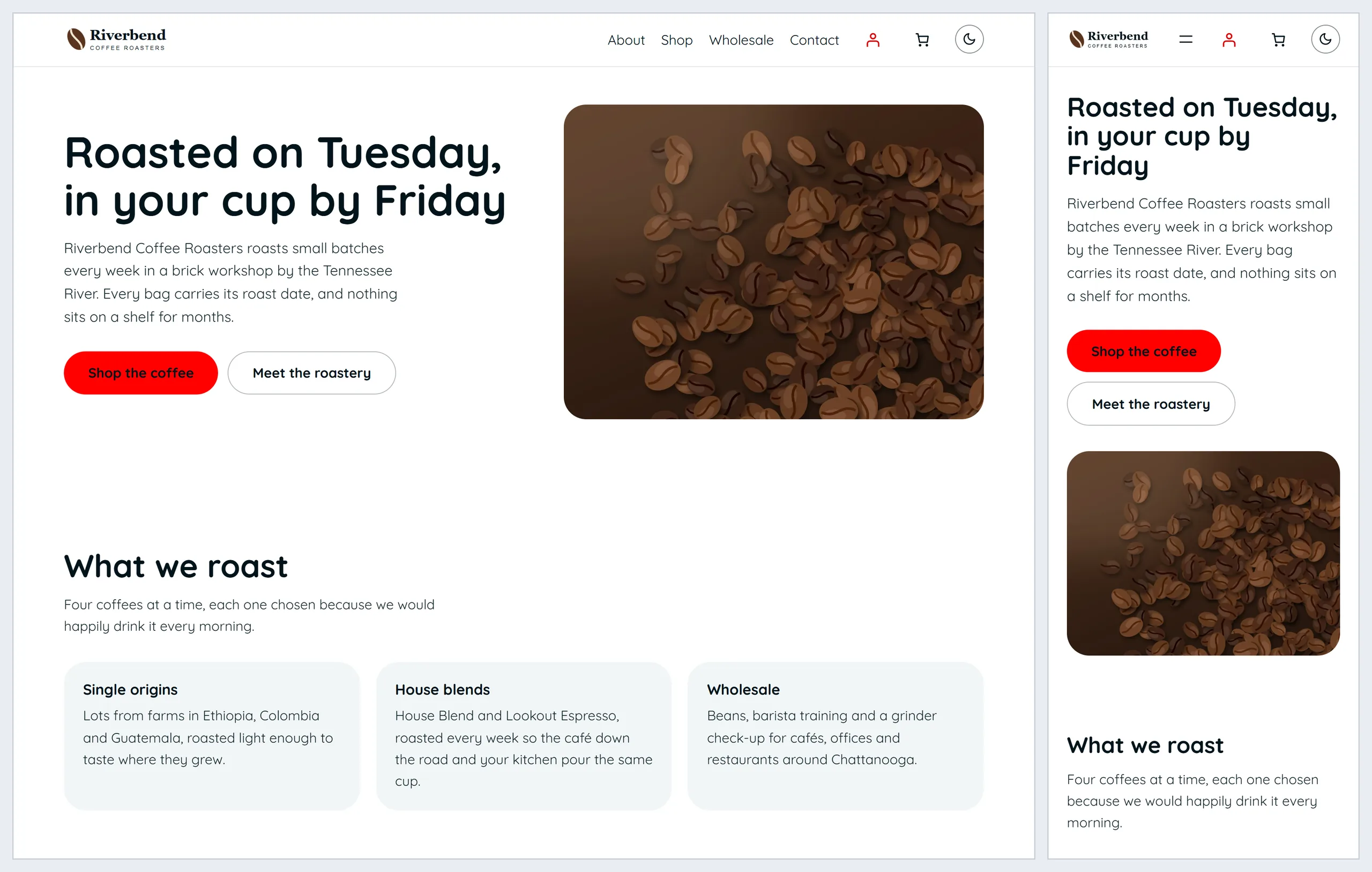
Where it stops: colors your AI fixed in a section, such as in its own CSS with Pro, won’t turn dark by themselves.
Forms
A contact form that sends. No form plugin.
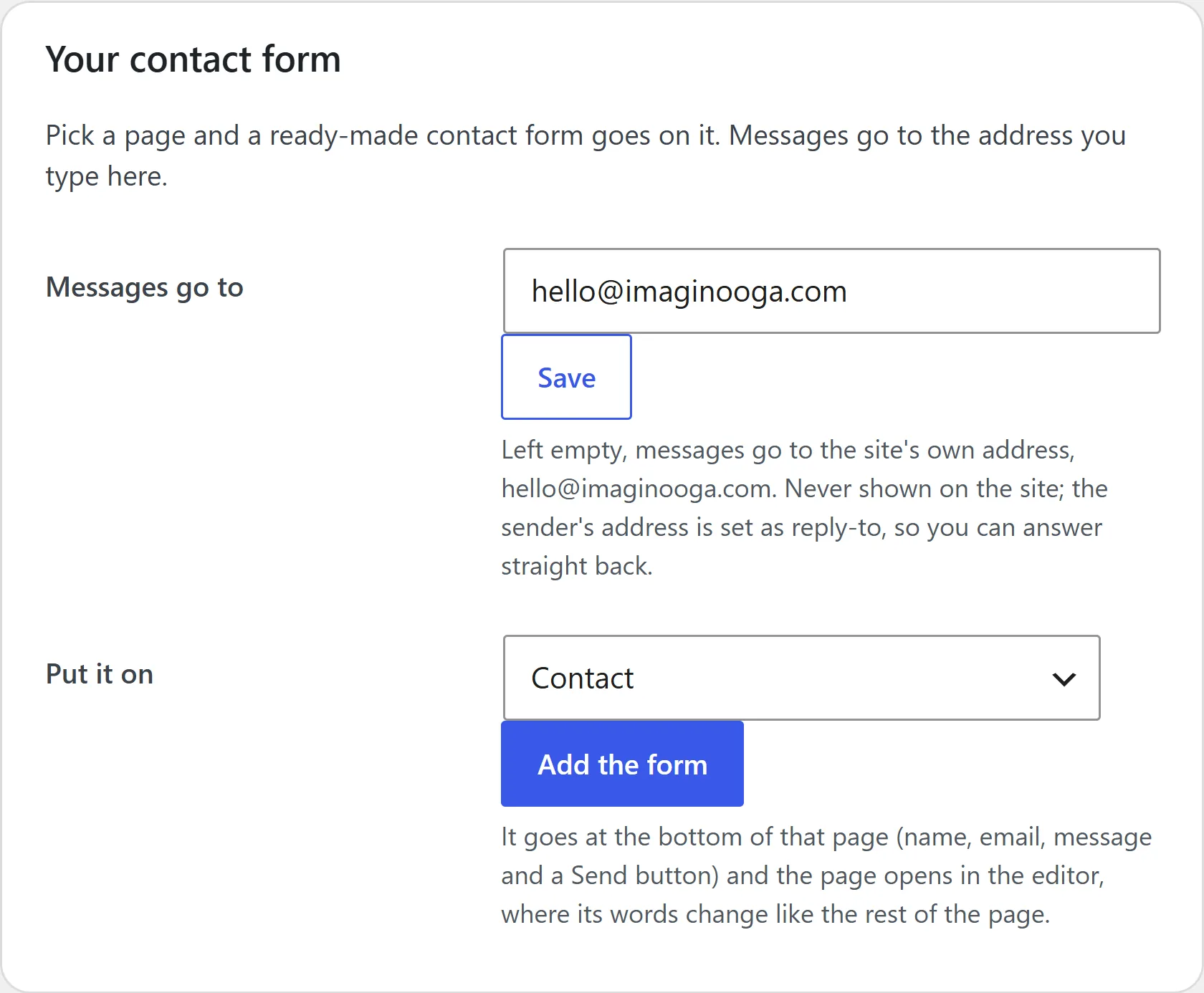
Someone fills in your form and PasteTheme sends it to you, spam traps already set. It all sits on the Forms screen.
Free
- A ready-made contact form on any page in one click, sent to the address you choose.
- Any form your AI writes sends every field.
- Spam traps, with no puzzle for your visitors.
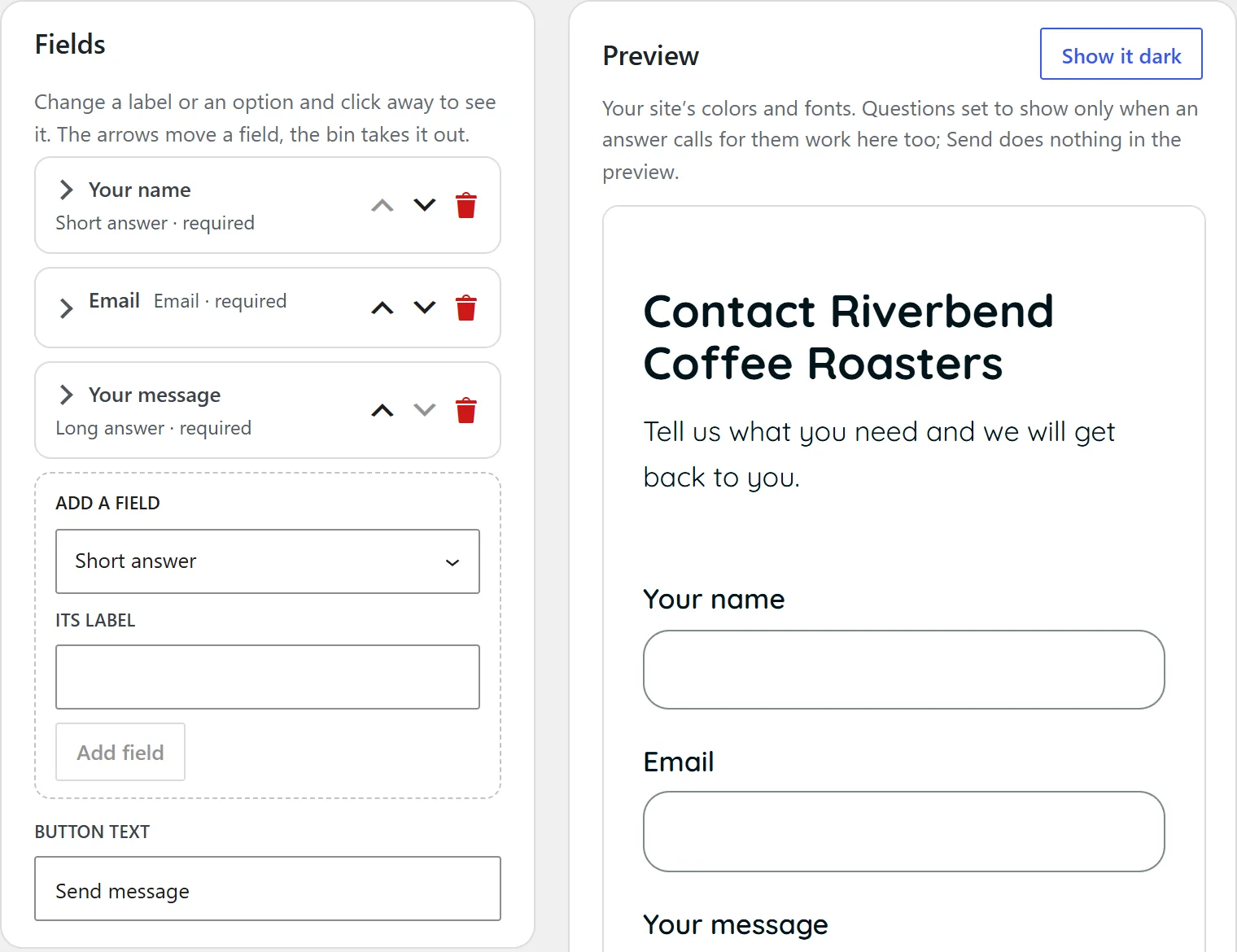
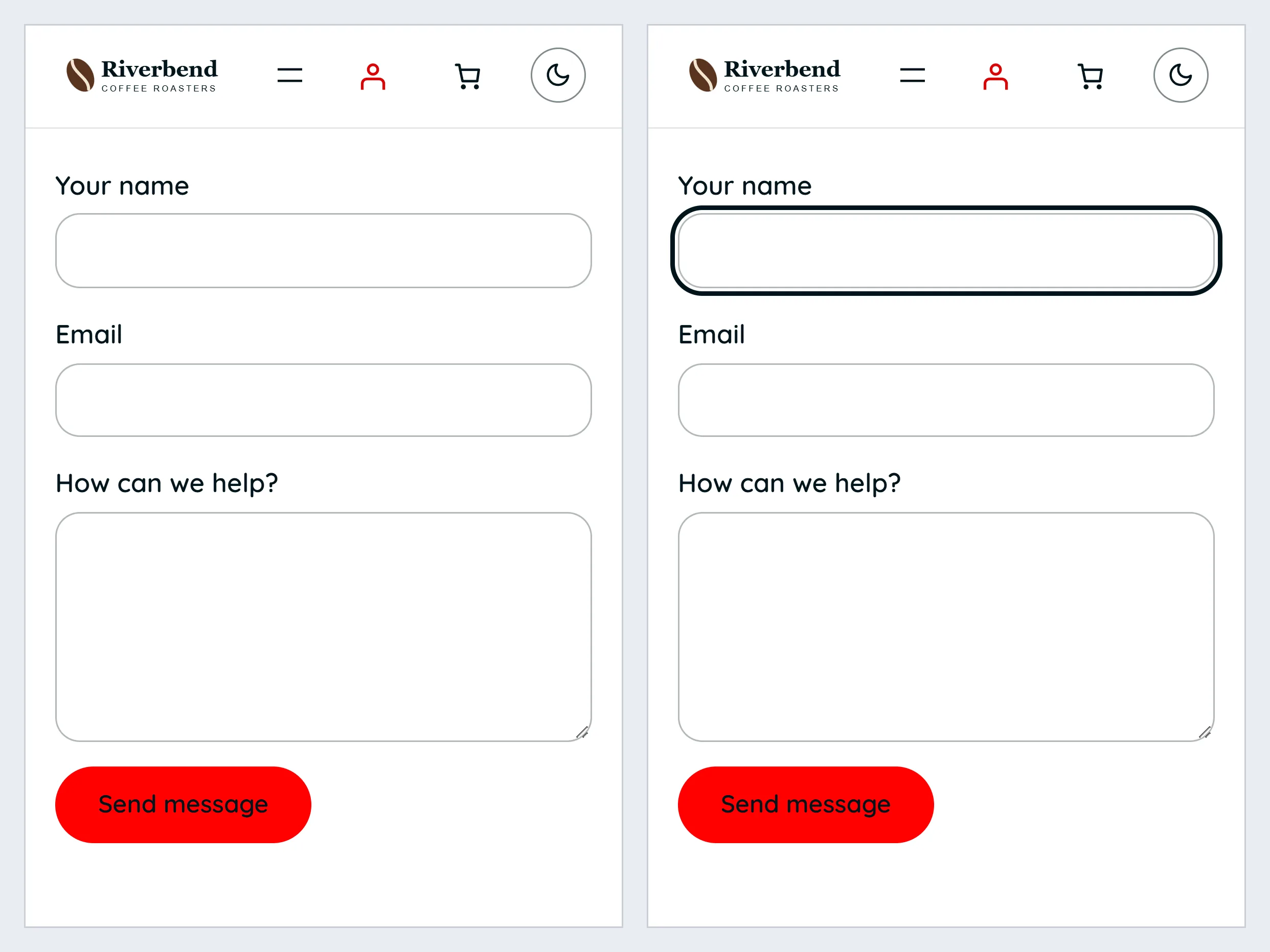
- Click a heading, a label above its box, or the button to change its words.
- To change the fields, ask your AI: over MCP it edits the form in place. Or paste the form again.
- Every form on the site in one list.
Pro adds
- A point-and-click form builder: radio buttons, dropdowns, checkboxes, dates and file uploads.
- Questions that appear only when an earlier answer calls for them.
- Every message saved in an inbox on your site, ready to export to a spreadsheet.
- An automatic reply, and your own address, subject and thank-you page for each form.
- Messages sent on to Zapier, Make or n8n, and a spam shield from Cloudflare.
Where it stops: whether an email arrives is up to your host.
 Play the video: PasteTheme: WordPress contact forms without a form plugin (paste any form, it sends)
Transcript
Forms that send, no form plugin
Forms that send. No form plugin. Ask your AI for a contact form, paste it like any other section, and it sends. No Contact Form 7, no form plugin, no fiddling.
Spam stays out
A hidden honeypot, a minimum fill time and a flood guard keep the bots out, with nothing for a visitor to solve.
Edit it without pasting again
The Form panel lists every field: change a label, make one required, add or reorder fields, change the button and the thank-you message. The AI’s styling survives.
Email you can check
The Email card gives the mail a real sender at your domain. If it still does not arrive, switch on SMTP and send through any mailbox you already have. A test button tells you before a customer does.
Eleven field types, free
Eleven field types are free: text, email, phone, web address, number, long text, checkbox, dropdown, choice, date and hidden.
Every form on the site, on one screen
The Pages screen lists every form on the site, and one click gives any page a ready-made contact form.
Pro: the email bounced, the lead didn’t
Pro keeps a copy of every message in its own inbox, so a bounced email is never a lost customer. File uploads, auto-replies, a thank-you page, a webhook to Make, Zapier or n8n, and Cloudflare Turnstile.
Pro: conditional fields and CSV export
A field can show only while another field has the value you choose, and every message exports as one CSV file for Excel. Try Pro free for fourteen days, no card.
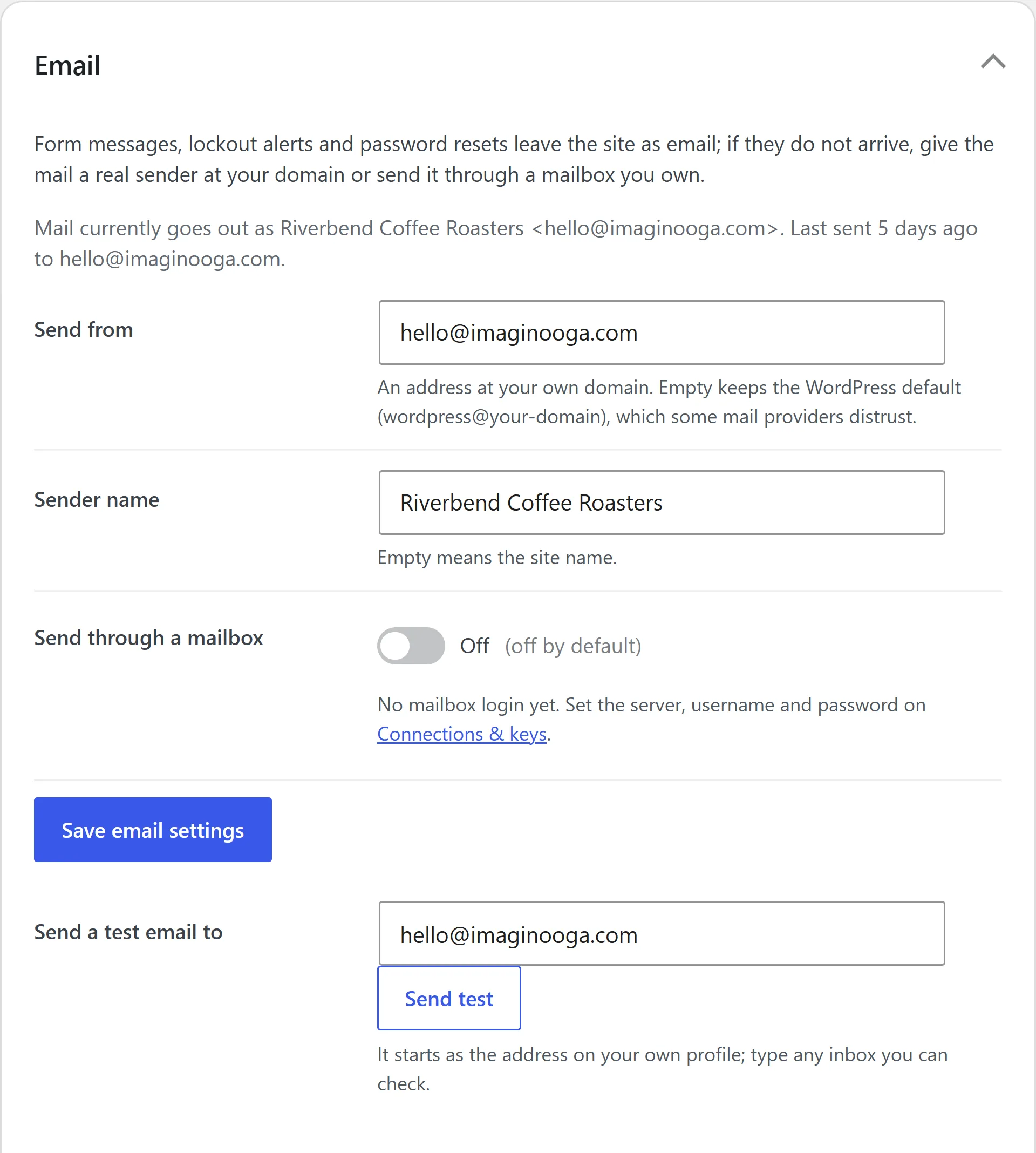
Send from a real mailbox, and see what went out.
Form messages, password resets and lockout alerts all travel by email.
Free
- Mail from your own domain, with your site’s name on it.
- Send through any mailbox or email service you already have.
- A test button, so you know before a customer does.
- A list of recent emails, and in plain words why one failed.
- One button looks up your domain’s sending record, and says what to ask for if it’s missing.
Pro adds
- A copy of every form message, kept on your site.
Where it stops: sending records live where you bought your domain. PasteTheme checks them, but can’t set them.
Search
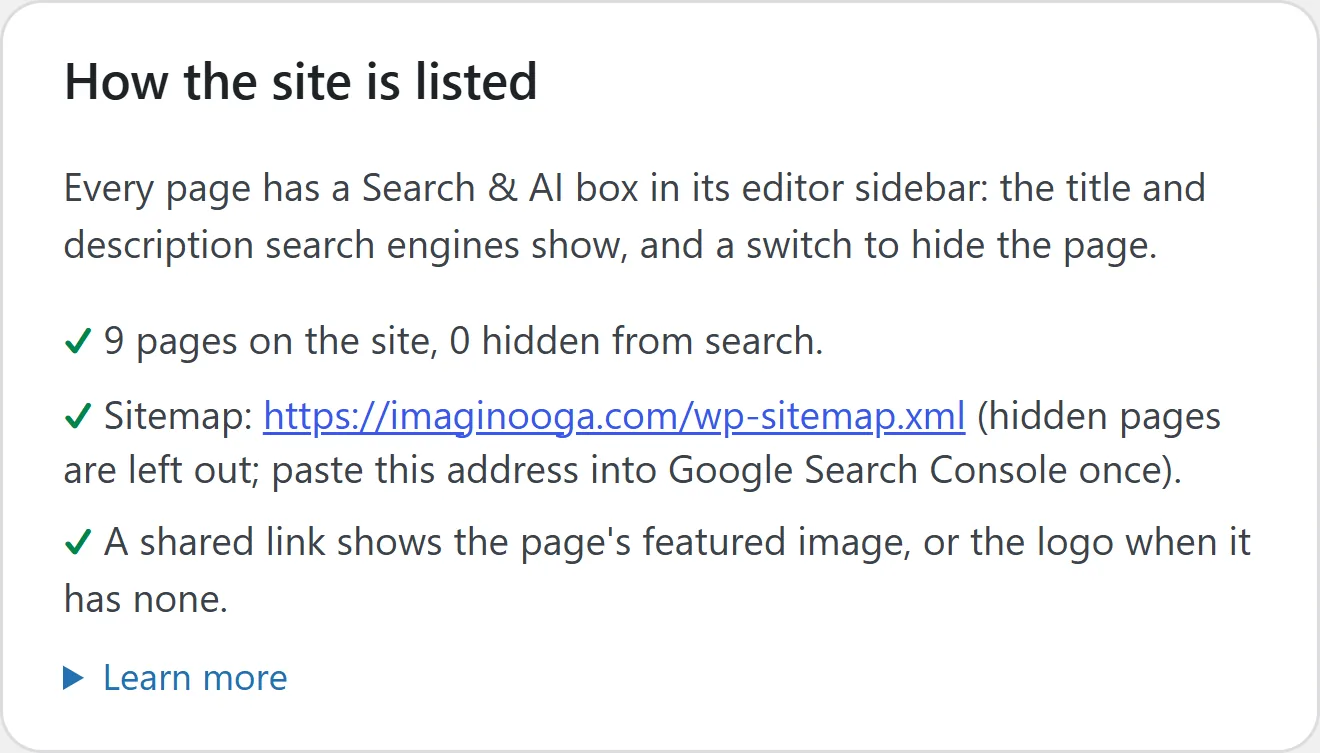
Set how every page shows up in search.
The basics are free. With Pro, it does everything an SEO plugin does for a normal business website.
Free
- A search title, a description and a hide-from-search switch on every page.
- The picture and title a shared link shows.
- A sitemap that leaves hidden pages out.
- A switch asking AI companies not to train on your pages. Off until you turn it on.
Pro adds
- Labels that tell Google and AI assistants what your business and each page are.
- Your address and opening hours, in the form search engines read.
- A short guide to your site for AI assistants.
- Google and Bing ownership tags, and Bing told the moment a page changes.
- Old links sent to the new page, automatically when you rename one.
- A share picture per page, and a backup of your search settings.
Where it stops: no promise of rankings or traffic, and no grading of your writing.
Security
Safe settings from the start. Fewer plugins to attack.
Most WordPress security holes are found in plugins. Every job PasteTheme does itself is one less plugin to patch.
Free
- The public user list, the file editor and the old remote-access door start closed.
- Password guessers get locked out, and one tick sends you an email when it happens.
- One button stops files in your uploads from running as code.
- Two-step login is one click away, with WordPress’s own plugin.
- One button sets everything to update on its own.
- Pasted code is cleaned, with a note of what came out.
- Switch on the daily file check and it looks for files that don’t belong in WordPress’s folders, and emails you the day one turns up.
- An email the moment someone is made an administrator or a new app key is added.
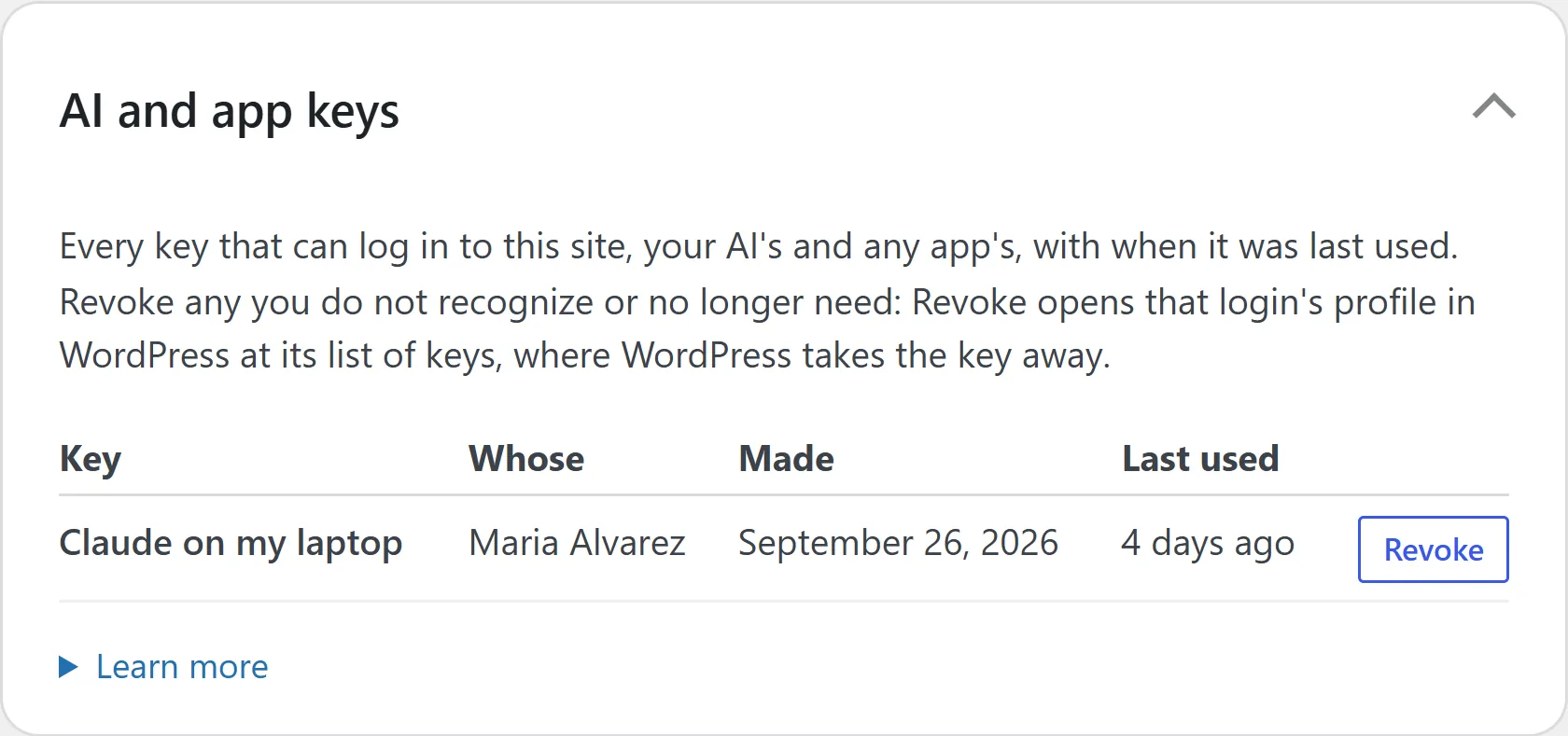
- Every AI and app key in one list, each one a click from Revoke.
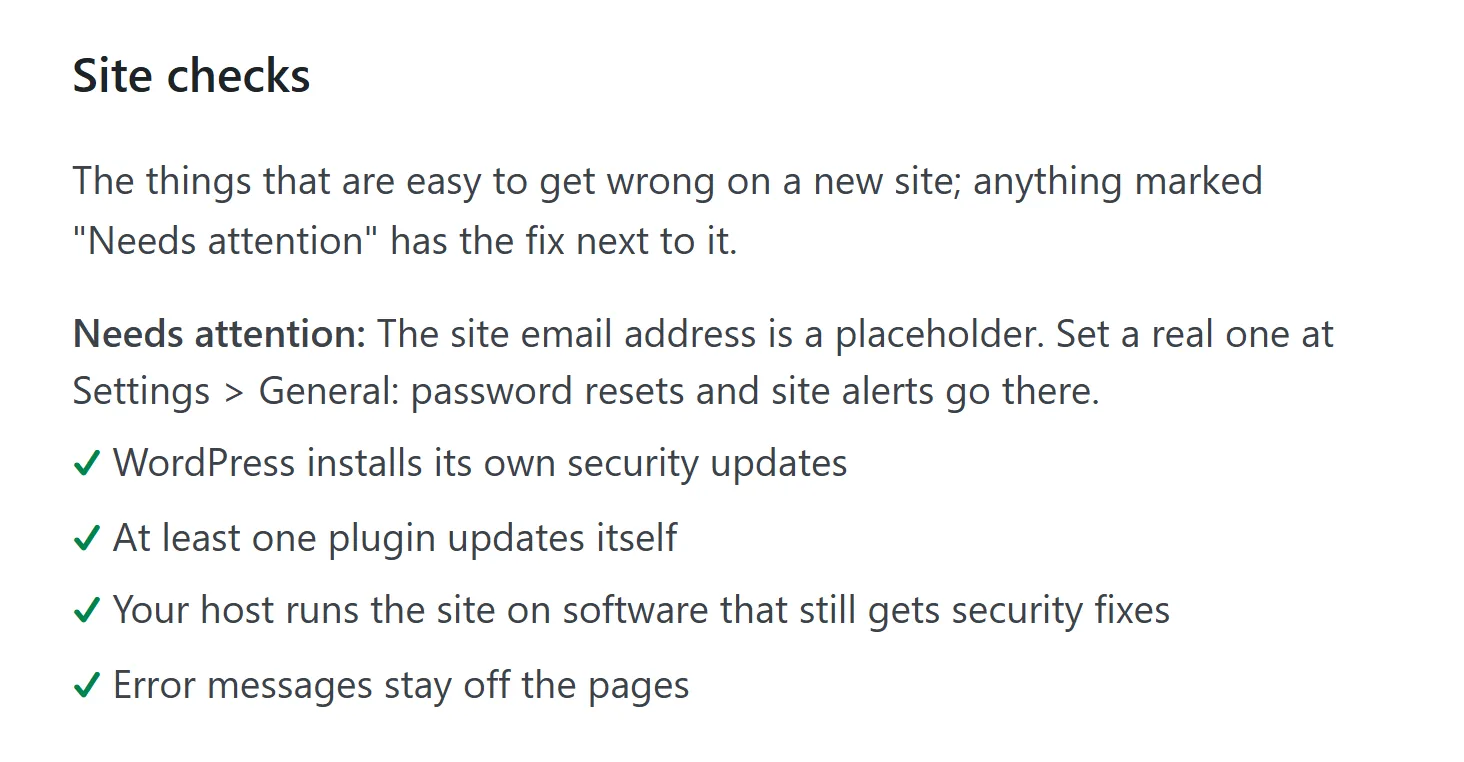
- Plain checks that each say the one thing to fix.
Pro adds: nothing
Everything on this list is free, on every site.
Where it stops: not a firewall or a malware scanner. Your host handles those, and backups.
 Play the video: PasteTheme: WordPress security on before you are (lockouts, two-step login, hardened, free)
Transcript
Security on before you are
Security on before you are. The moment the plugin is on: security headers, generic login errors, no user listing, the file editor off, no version headers, XML-RPC off. Nothing to configure.
Five failed logins, fifteen minutes out
Five failed logins from one address in fifteen minutes, and that address is locked out for fifteen. Adjustable, and it counts application passwords too.
Two-step login, one click away
Two-step login is one click: it installs WordPress’s own Two Factor plugin. Each person switches it on under their profile.
Nothing uploaded runs as PHP
The usual second step after a break-in is a PHP file hidden in the uploads folder. One button blocks it. Nothing is written until you press it.
Every agent key, with a Revoke button
Every application password on the site: whose it is, when it was made, when it was last used. Revoke is one click, and the Checkup flags a key nobody has used in ninety days.
A Checkup that says the one thing to fix
Fifteen plain checks on the Home screen, each with the one thing to do. No score, no percentage, no nagging. [Now sixteen checks, in Setup’s Go live step.]
The honest edge
It is not a firewall and it does not scan for malware. Those still belong to your host, and so do backups. We say so on every page. All of it is free. Nothing about security is Pro.
Speed and phones
Light pages. Made for thumbs.
Most visitors arrive on a phone. A new PasteTheme page came to about 74 KB in our test, with one 28 KB font file from your own site. PasteTheme adds no jQuery and no CSS framework.
We put the same shop on PasteTheme and on WordPress’s own 2024 theme, same pages and same plugins. Every page we measured downloads 63 to 70% less on PasteTheme, mostly because of the fonts.
- 1.4 suntil the first words show
- 1.7 suntil the main content shows
- 0 msspent waiting on scripts
- 0layout shift (0.1 or less is good)
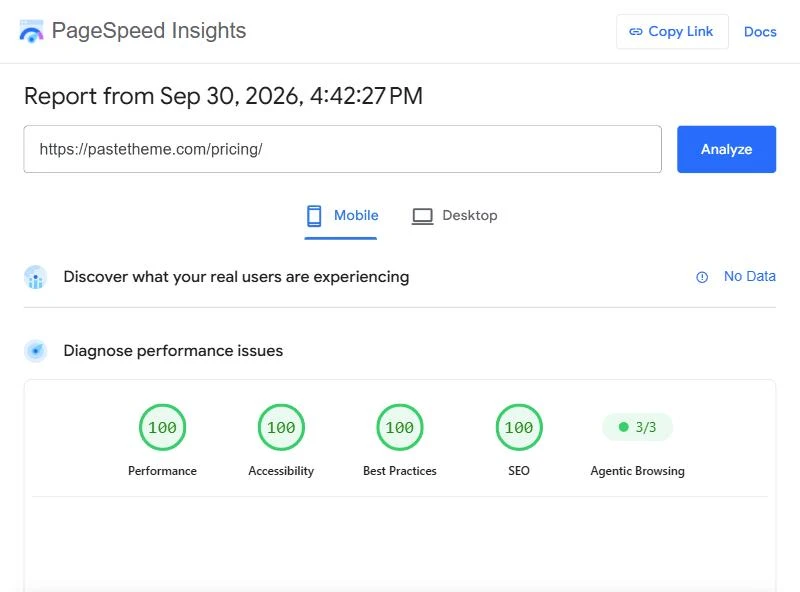
Google PageSpeed Insights on a phone, pastetheme.com’s home page, tested 30 Sep 2026. The same afternoon, 15 of our 18 pages scored 100 for performance on a phone and the other three 99, and all 18 scored 100 for accessibility, best practices and SEO. Run the test yourself.
Free Light pages
- New photos also saved as lighter files, at the quality you set, and huge uploads shrunk.
- Pictures from your media library keep their space, so the page doesn’t jump as they load.
- WordPress’s emoji script switched off.
- Caches cleared in one click, and by themselves after every update.
Free Built for phones
- Your buttons are at least 44 px tall. In the open menu, each main row is 48 px.
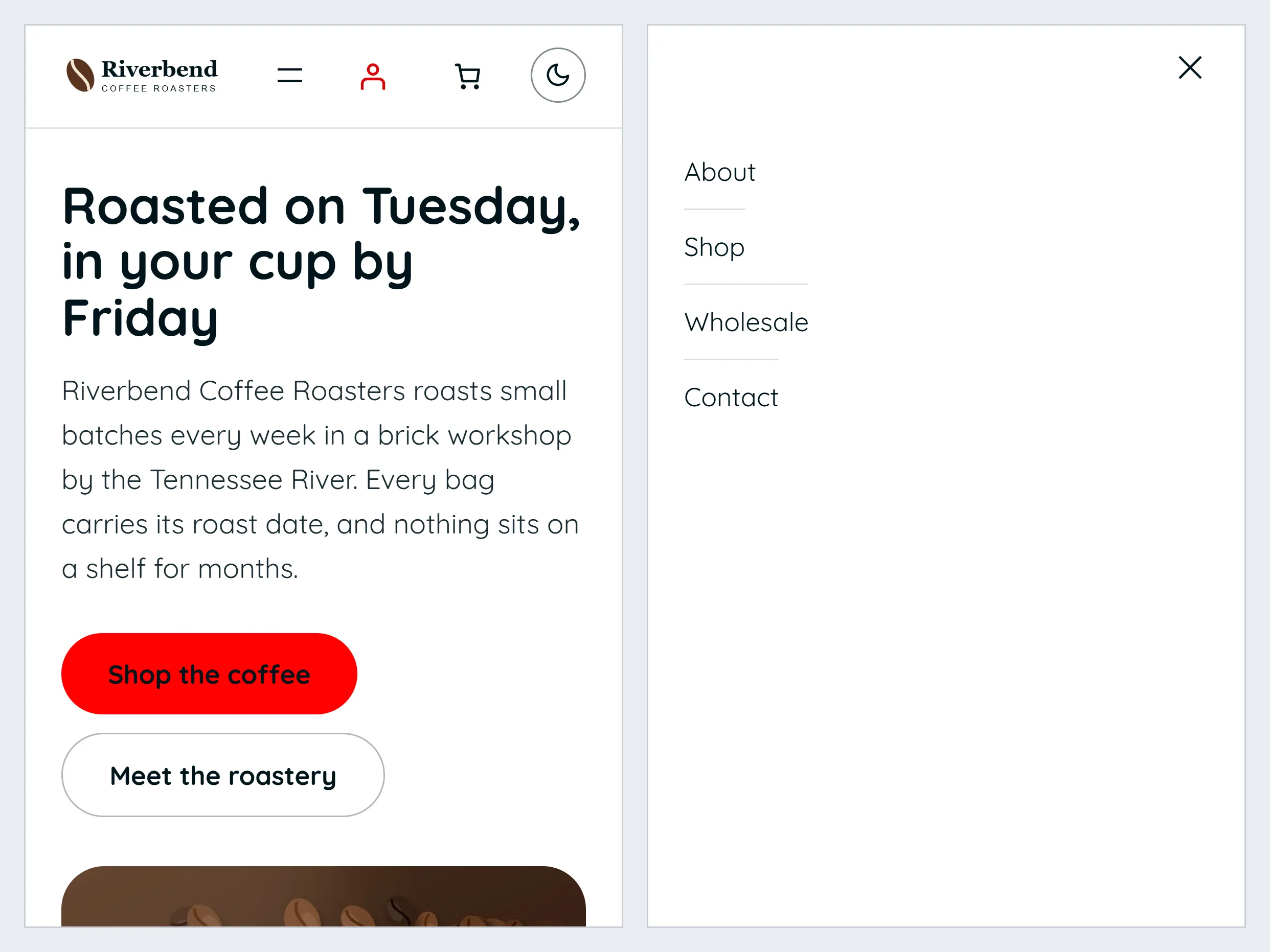
- The menu folds into one button on a phone, upright or sideways.
- Your forms’ fields are at least 16 px, so an iPhone doesn’t zoom in on a tap.
- Nothing scrolls sideways: pictures and videos shrink to fit.
- Headings shrink with the screen. Body text stays a readable 17 px.
- The space around each section tightens on a phone, from 80 px to 48 px.
- The sizes and spacing are the browser’s own CSS, built into the theme. No framework to download.
Pro adds
- The pictures already on your site converted, and the old files cleared out.
- Slider, chart and animation code loaded only on the pages that use it.
Where it stops: no page cache of its own, and no promised speed score. Those scores are our own site’s. Your site’s score depends on your host, your plugins and your pictures. With Pro, a section keeps the sizes your AI wrote, fixed ones included, on a phone too.
How we measured, 26 Sep 2026: Chrome with the settings Google’s speed test uses for a phone. A new page is a fresh site’s Home with the theme and free plugin only. The shop is one sample shop with only the theme swapped. Sizes are what a host that compresses its files sends. Phone checks at 360, 390 and 768 px wide. The scores are Google’s own PageSpeed Insights, run on live pastetheme.com on 30 Sep 2026.
Handing it over
Your client edits the words. The layout stays put.
Hand the site over without holding your breath.
Free
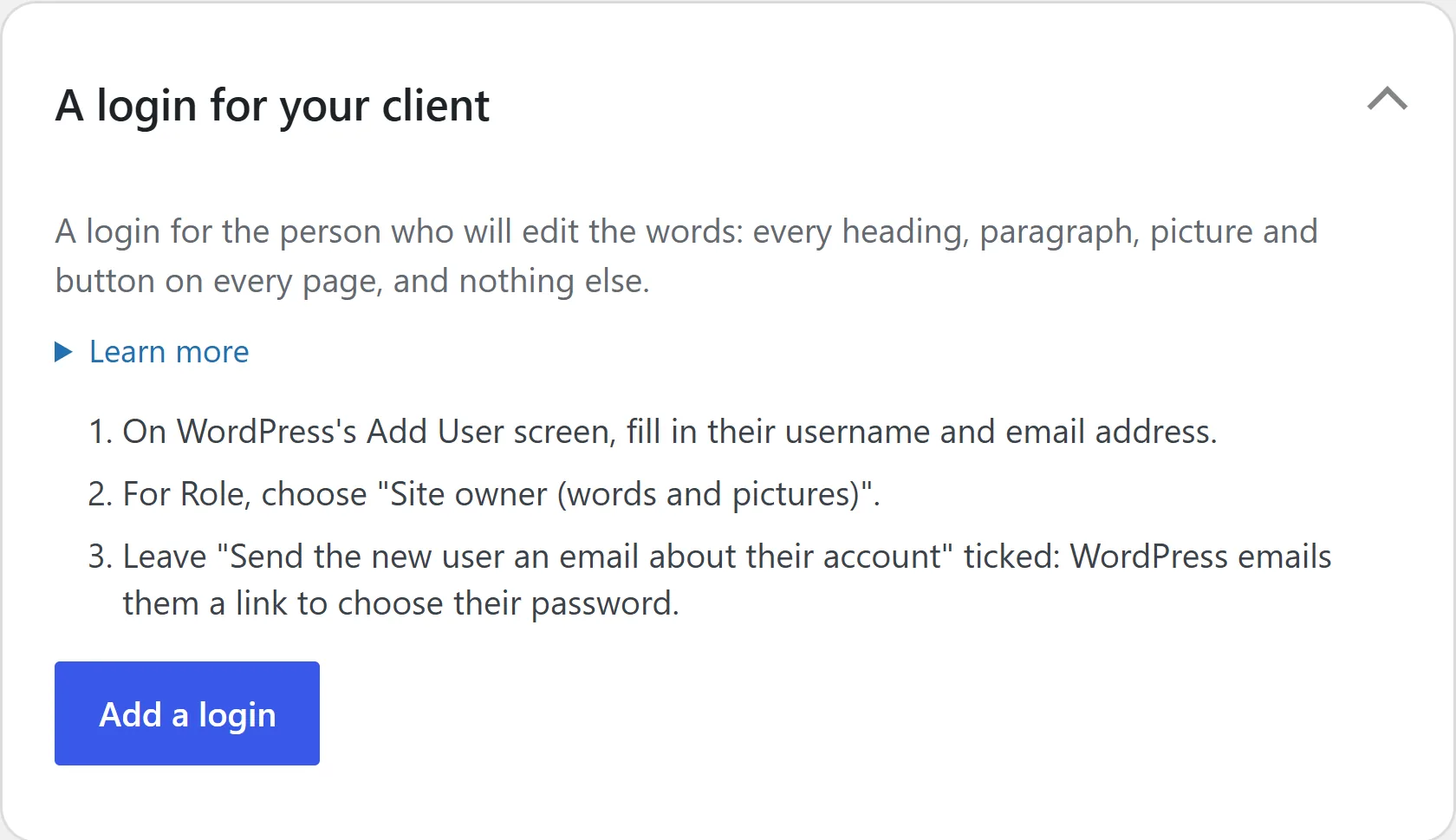
- WordPress itself locks each section’s layout. Words, pictures and buttons stay clickable.
- Add your client on WordPress’s own Add User screen as a Site owner. They change every word and picture, and can’t move, delete or restyle a section.
- Their AI gets the same fence.
Pro adds
- A quieter editor for them.
- Your agency’s name on the admin screens.
- Your pages and sections saved as a ready-made site for the next one.
Where it stops: an administrator can still do everything, so never share that password.
Your AI
Paste what your AI writes. Or let it work on the site.
PasteTheme sells no AI and charges no credits. Use the one you have: ChatGPT, Claude or Gemini.
Free
- Copy the prompt, ask your AI for a section, and paste the answer with CtrlV.
- Connect Claude, ChatGPT or another AI app to your site over MCP, the open standard AI apps use to work with other software, and ask for changes in plain words.
- It can change words, swap sections, edit forms, add a ready-made site and read your visits.
- Press Make a key for my AI, say yes on WordPress’s own screen, and you come back with its key. That key reaches your site’s content only, and you can cancel it any time.
- Safe mode keeps that key to words and pictures until you switch it off.
Pro adds
- Open any section’s code, have your AI change it, and paste it back.
- Your AI can also change the site’s and each page’s code, and save the site as a ready-made site.
Where it stops: your site must be online for an AI app to reach it, and ChatGPT makes changes only from a Business, Enterprise or Edu workspace. A key made with the AI screen’s button reaches the site’s content only, never other users, plugins, themes or the mail settings; a key made on a WordPress profile is WordPress’s own and does what that login can. An AI that ignores the rules can still damage a page.
Shop
Add a shop in one click. It already matches your site.
WooCommerce does the selling. PasteTheme installs it and makes it match.
Free
- WooCommerce installed and switched on in one click.
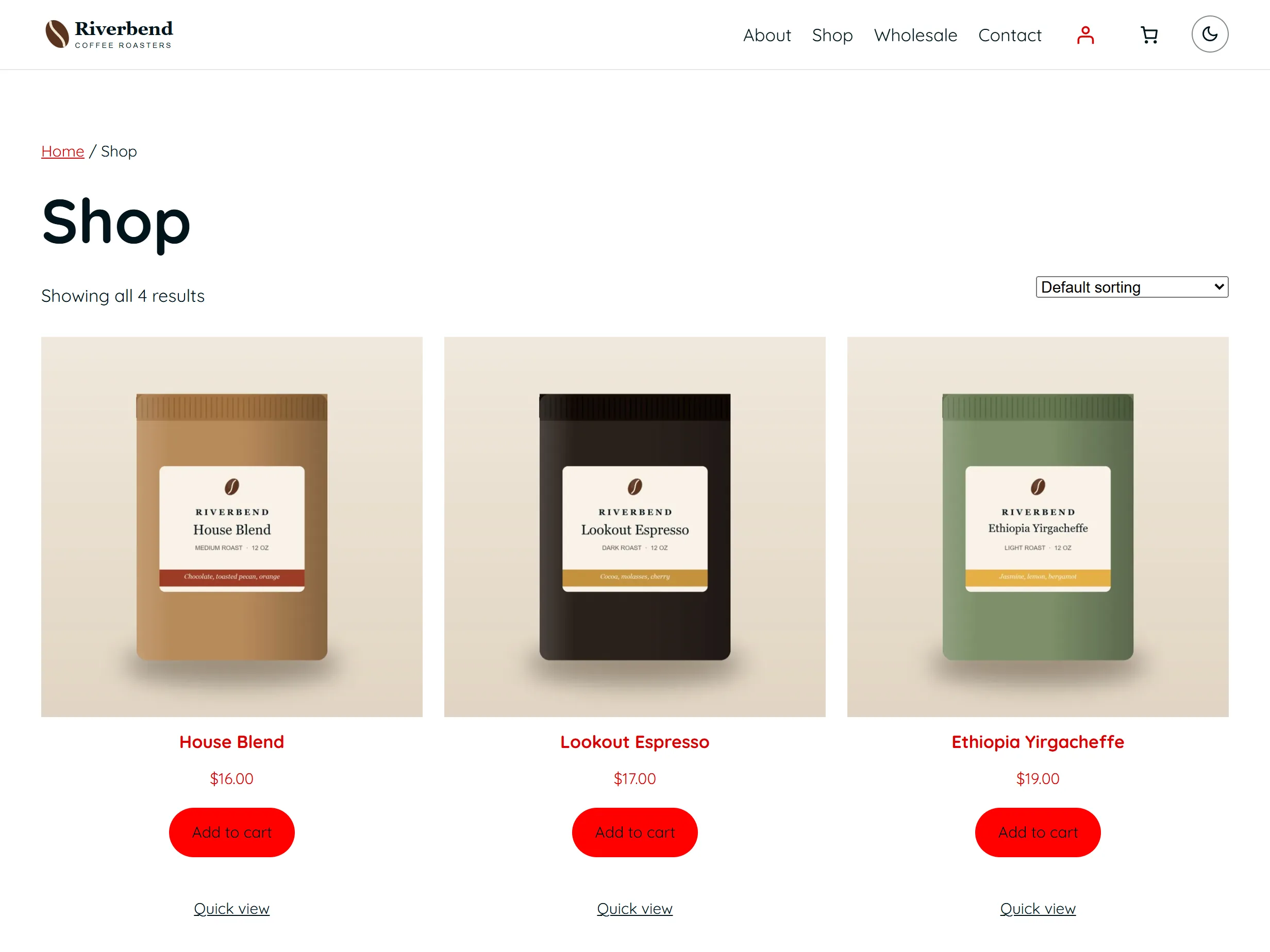
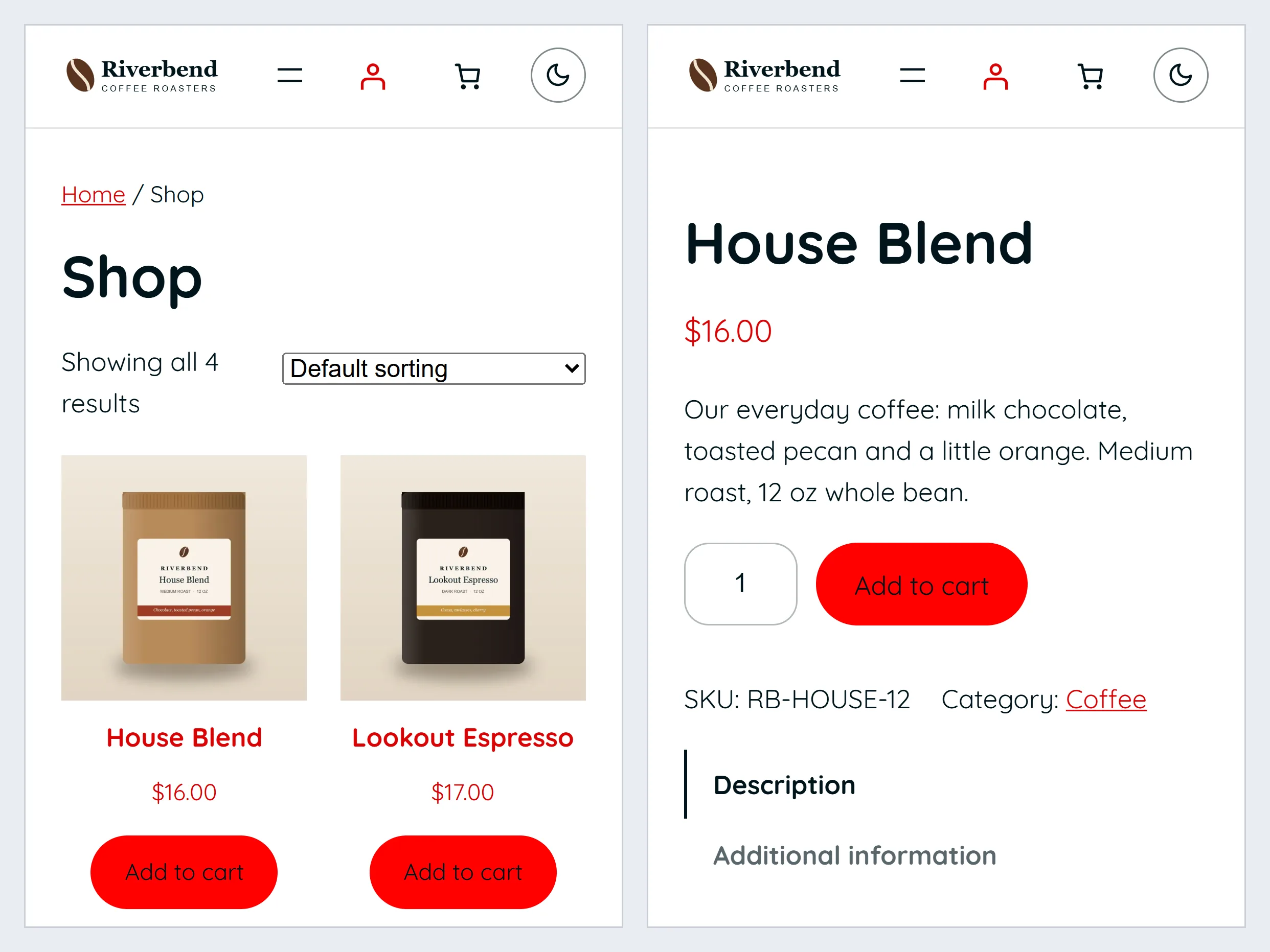
- Shop, cart and checkout in your colors and fonts.
- Cart and account icons in the header.
Pro adds
- An add-to-cart bar that stays on screen.
- A quick look at a product from the shop page; one with sizes or choices opens its own page.
- Shop, Cart and My account links above the header.
Where it stops: no shop layout builder. Payments, shipping and tax are set up in WooCommerce.
Sell printed shirts? My T Maker turns the shop into a t-shirt design studio. From the same workshop.
Already have a site?
Move your site over. Keep what matters.
No need to start again. Bring the site you already have.
Free
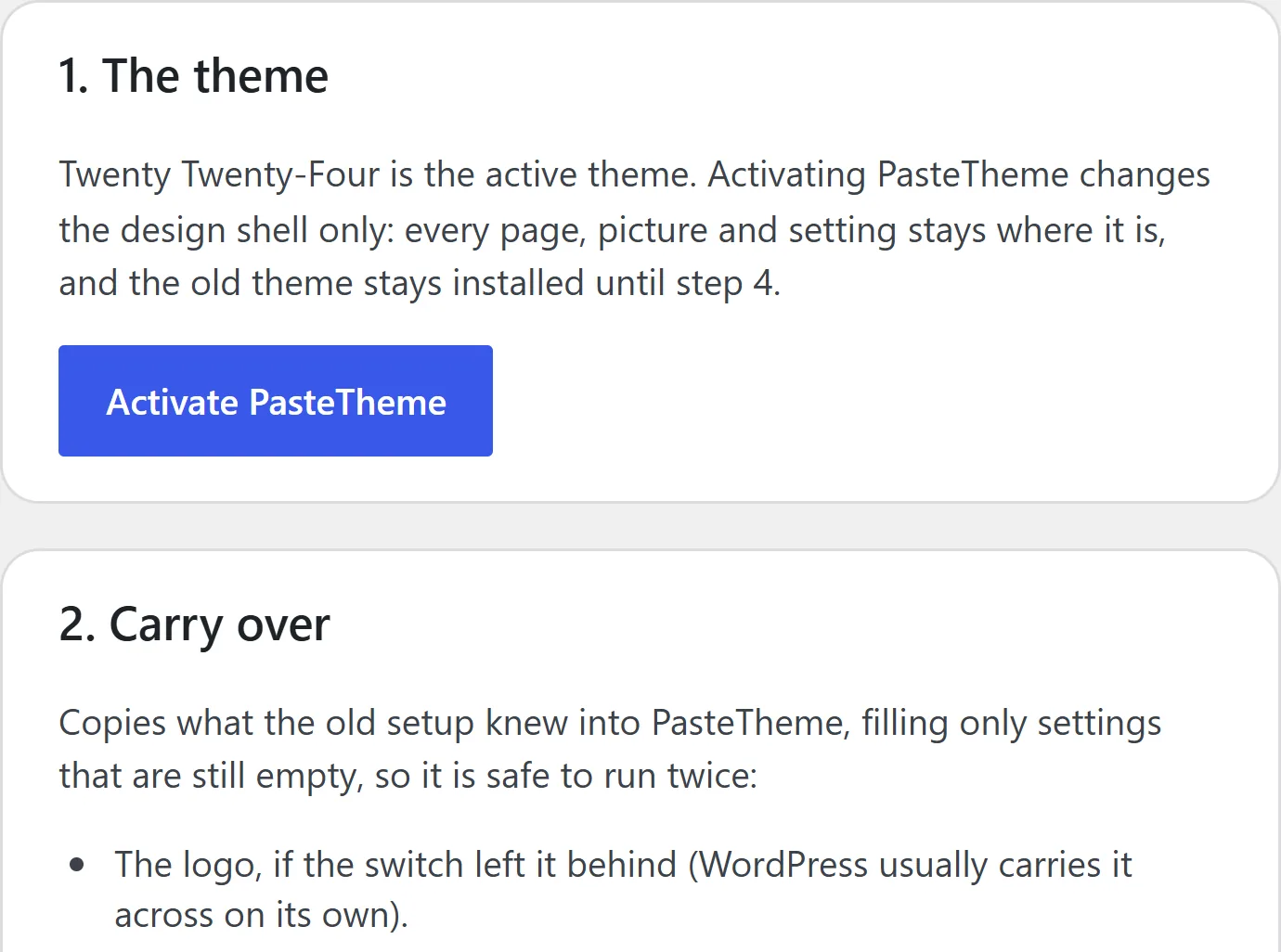
- It carries over your logo, menu, search titles, analytics code, email settings and where form messages go, and your colors and fonts from one popular theme. It fills only empty settings, so it’s safe to run twice.
- Plain-HTML pages become locked sections with one button. Pages made with a page builder, or styled with their own CSS, get a pack for your AI to rewrite.
- It lists the plugins you no longer need. Nothing is removed until you tick it.
Pro adds
- Your old theme’s CSS, moved into WordPress’s Additional CSS, with the fonts and colors it sets.
- Pages styled with their own CSS, converted with their look kept.
- Your old header and footer code, redirects, form messages and search ownership tags too.
Where it stops: the old theme’s scripts and animations don’t come across.
Running it
It keeps itself up to date and tells you what needs you.
You built a website, not a chore.
Free
- One button keeps WordPress, your plugins and your theme updating themselves.
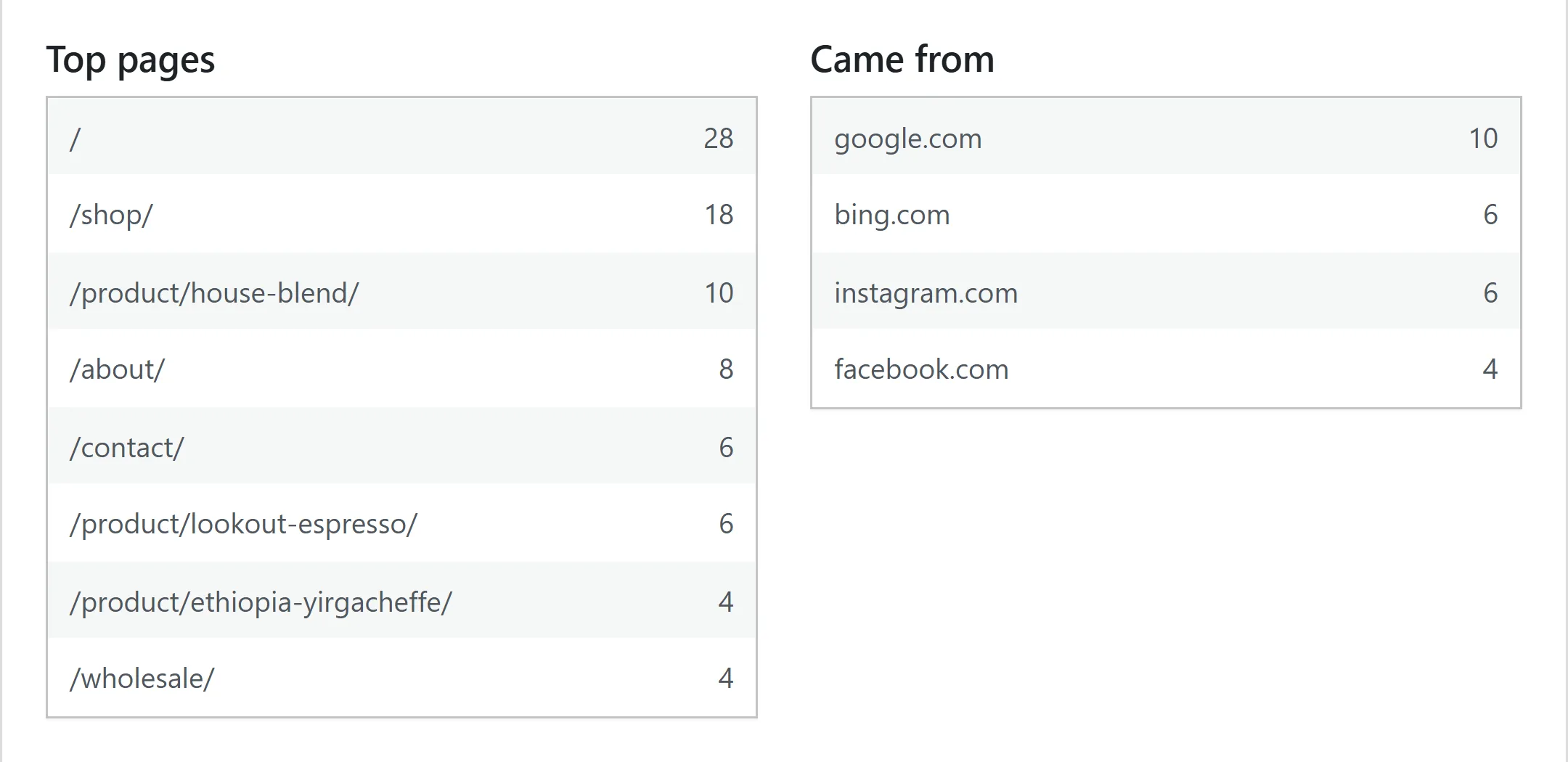
- Visits, top pages and where people came from. No cookies, so no banner for these counts.
- Setup’s seven steps, with a bar that shows how many are done.
- A coming-soon page while you build.
- Leave any time: your words and pictures stay.
Pro adds: nothing here
Keeping a site running is free.
Where it stops: backups are your host’s job. A Google Analytics code, if you add one, needs a cookie banner in the EU.
Where things are
Eight screens, each named for a job.
Setup comes first. With Pro, its extras appear on the same screens, and Messages joins the menu under Forms.
Setup
Your name, pages, look, contact form, shop, switches, then go live.
Pages & menu
Every page, and the menu in order.
Design
Name and logo, colors, fonts, header and footer, and section edges.
Forms
The contact form, where messages go, email (the sender, a mailbox, a test and the sent list), spam, and every form on the site. With Pro, the form builder and Messages too.
AI
What MCP is, the switch that lets an AI connect, Safe mode, a key for your AI, every key in one list, and the prompts.
Search & visits
How pages show up in search, and who came.
Settings
Connections & keys (the Google Analytics id, the mailbox login), pictures, caches, updates and comments.
Security & people
Lockouts, two-step login, your client’s login and the daily file check.
What it needs
WordPress 7.1 and PHP 8.0, or newer.
One WordPress site with an administrator account. Your host can tell you both numbers. The free plugin does the work: the theme on its own is the look, and Pro needs the free plugin. Multisite isn’t supported in this version.
PasteTheme Pro
Everything above is free to keep. Pro is for the next job.
The free plugin builds in the jobs most sites add plugins for. When you’re ready to upgrade, Pro is 21 Pro plugins in one: forms you build yourself, every message kept, your AI’s sections exactly as it designed them, the sliders it writes running, your own code snippets, and your name on the dashboard. See every Pro feature, the price and the free trial.
Free to download and keep. No card, no sign-up.